Autodesk
Improving documentation efficiency for building professionals using Revit
Overview
Autodesk Revit is a building information modeling software for architects, landscape architects, structural engineers, mechanical, electrical, and plumbing engineers, designers, and contractors.
Documentation is the core foundation for any project inside Revit and it represents a vital part of many professionals’ workflow in particular Architects who heavily rely on documentation to communicate their design intent.
The problem we are trying to solve:
Enable tagging multiple elements that have the same properties in Revit so that architects and other building progressional can produce clear documentation to share with their stakeholders or other team members.
My contribution
Research
Prototyping
Usability Testing
Team
1 x Project Manager
1 x UX Designer
5 x Engineers
Duration
6 Months

Process
We kickstarted our discovery with a lot of secondary research using various sources like Youtube, past Autodesk projects, Idea Station (an official Autodesk forum where customers write about issues with the current product but also propose new features.
With all the information gathered, a research plan was put into place and it started with a series of interviews (semi-structured).
I interviewed building professionals to see how they overcome this situation and what solutions they are using in their everyday workflows. We asked them to show us actual projects and how they keep their projects clean.
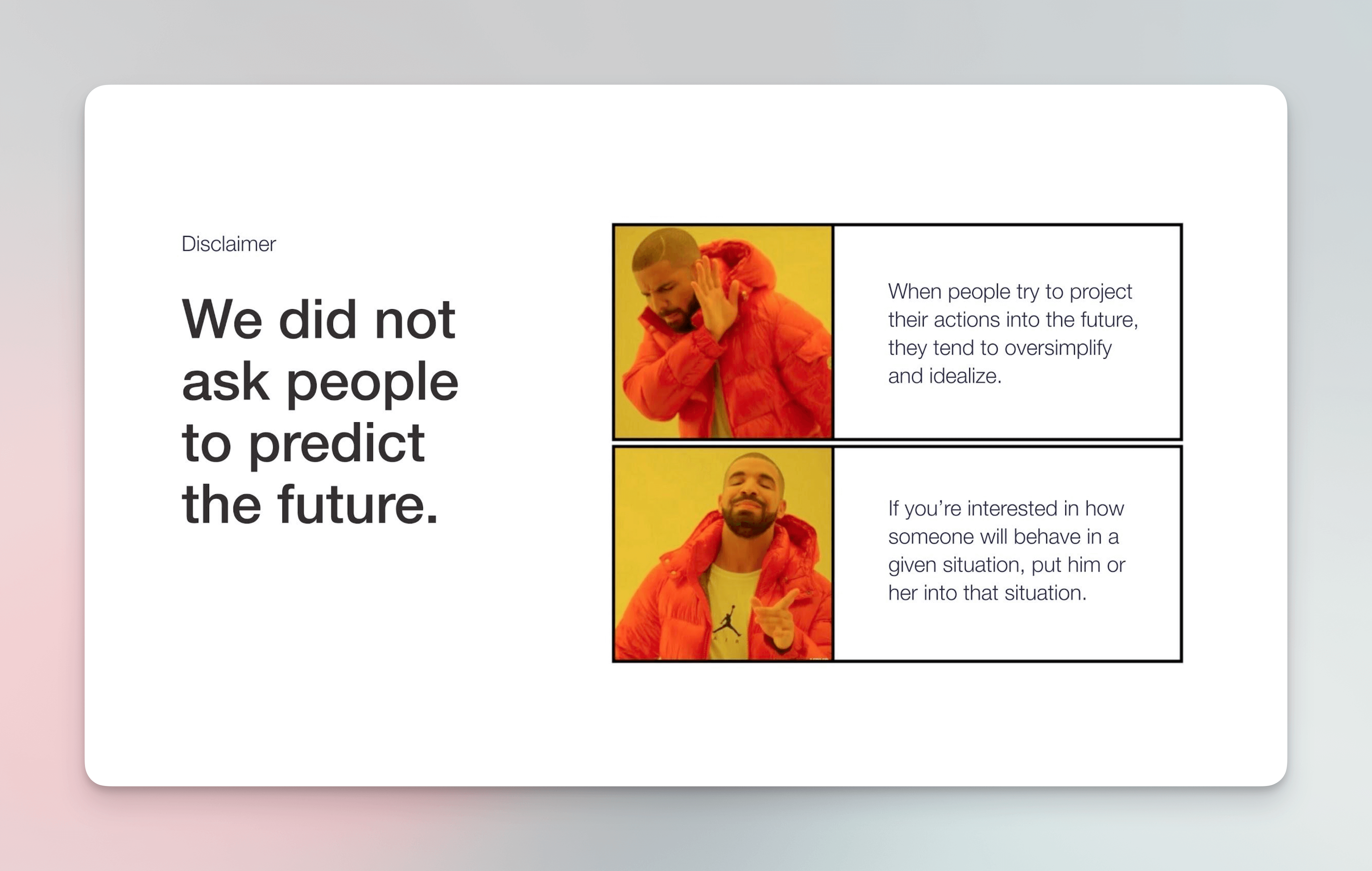
Slide used in sharing research insights with various stakeholders, spreading UX knowledge at every opportunity.

Building rapport in any interview takes the pressure off from the person on the other end.
After conducting a series of interviews, I moved to analysing and synthesizing all the insights gathered and grouping them into themes (affinity clustering).
At the end of each interview, I added a closed card sorting exercise to gather some insights into the expected navigation structure of Revit’s right-click function specific to this workflow. Each participant was asked to arrange the items based on importance and leave out any unnecessary elements.
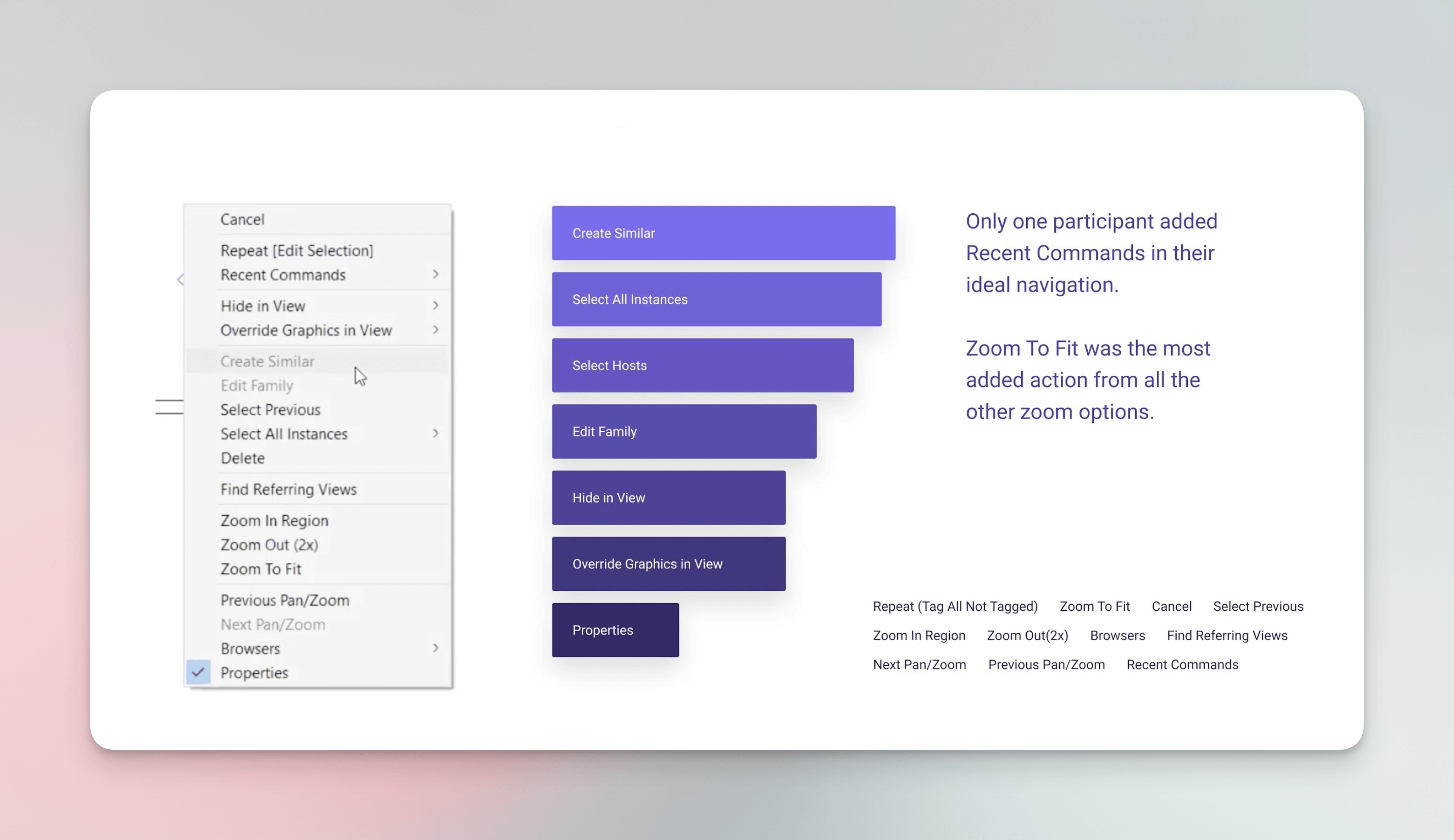
Revit the navigation structure during the analysis of the card sorting study.
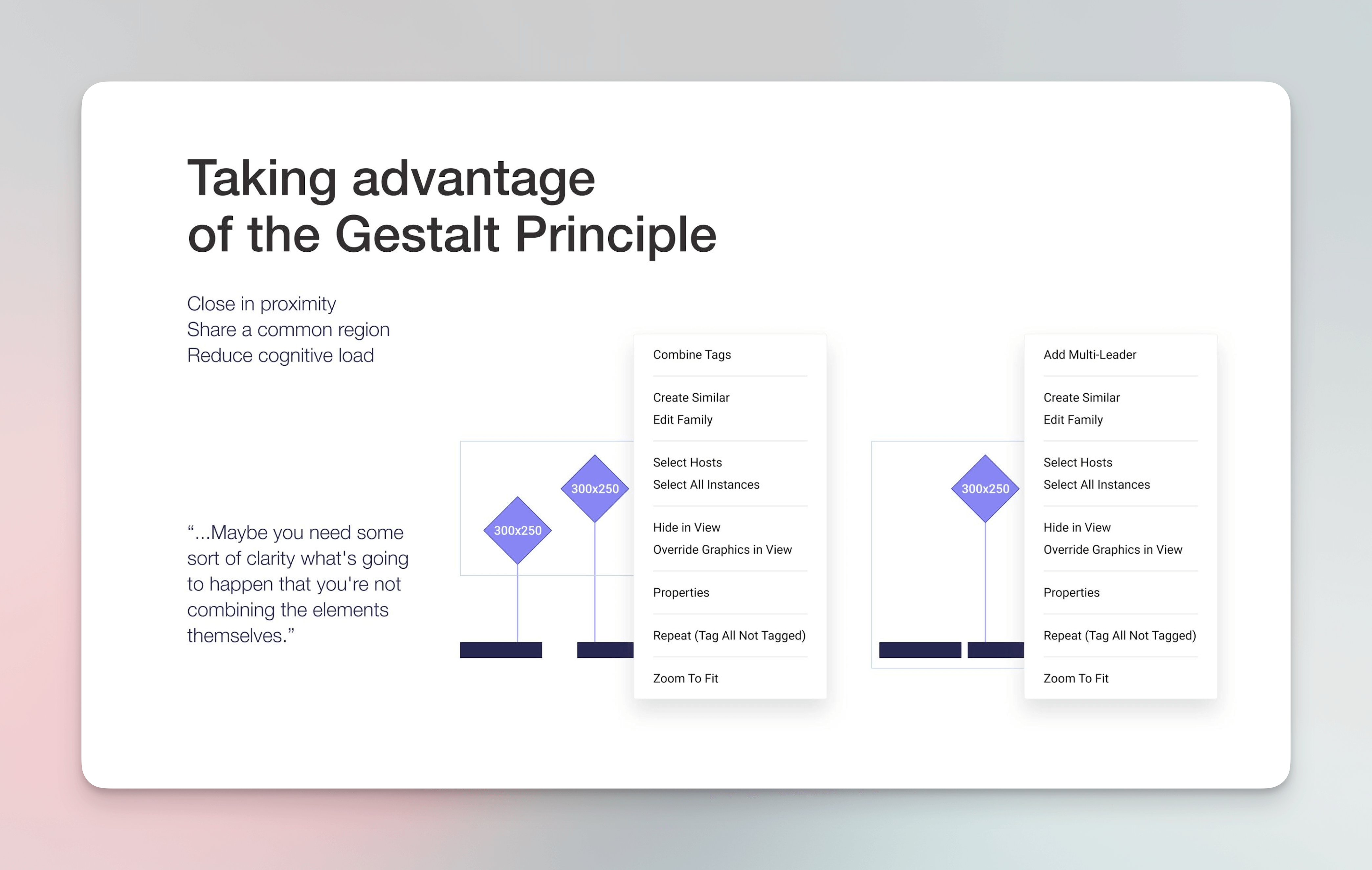
Revit navigation structure after analysis of all card sorting results.
Old school
In order to validate some of the assumptions we had and also test out some of the design patterns added after the discovery phase, I opted for a quick and old-school paper prototyping.
Revit is not a web-based software, replicating its interface in Figma or other design tools was a huge effort at that time.

Paper prototyping testing session setup. I switched between two cameras and acted as the mouse for participants, a truly human interface.
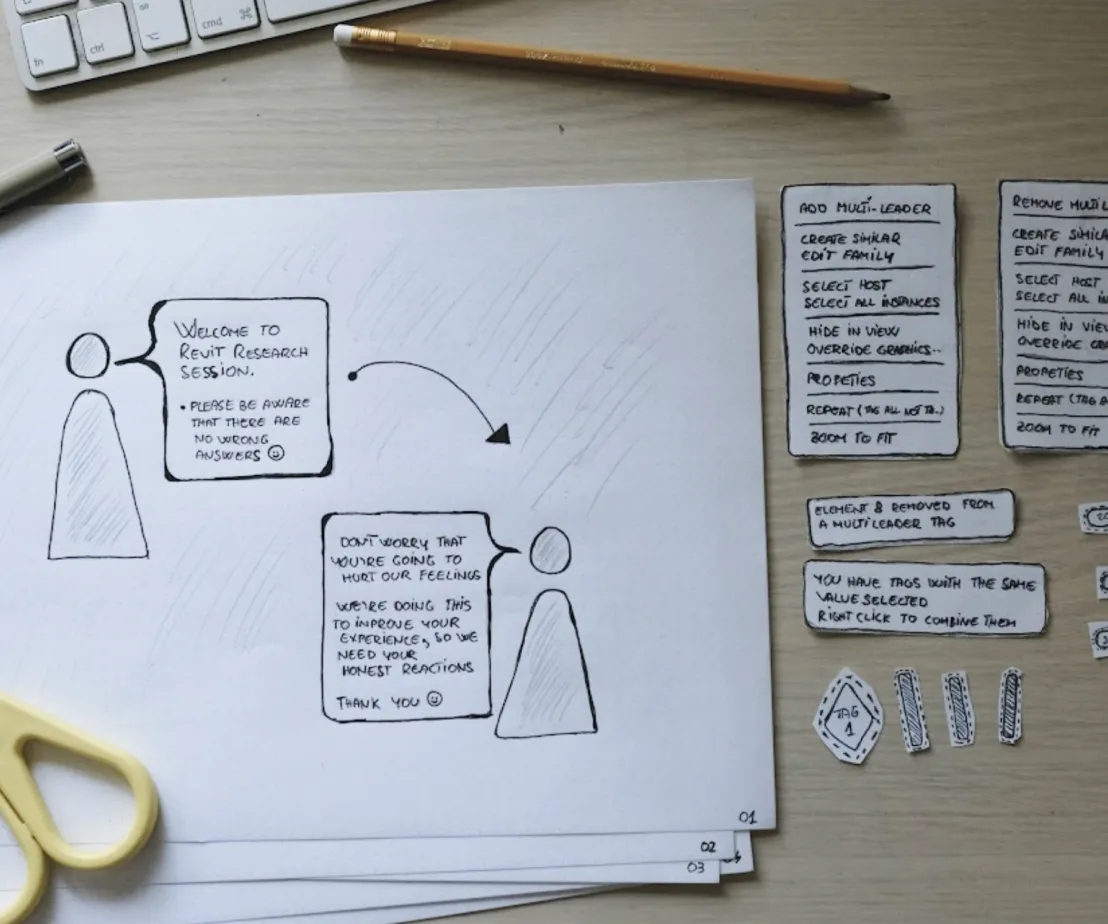
Paper prototyping has advantages and disadvantages, one of the most costly ones comes with users that are just starting out in Revit. Additional time was needed to explain the concept compared with a more experienced user.
Iterate, Iterate
After 3 rounds of usability testing without the initial evaluative research (paper prototyping testing). The metrics used to measure our iterations are the ones that Autodesk used at that time to measure product health.
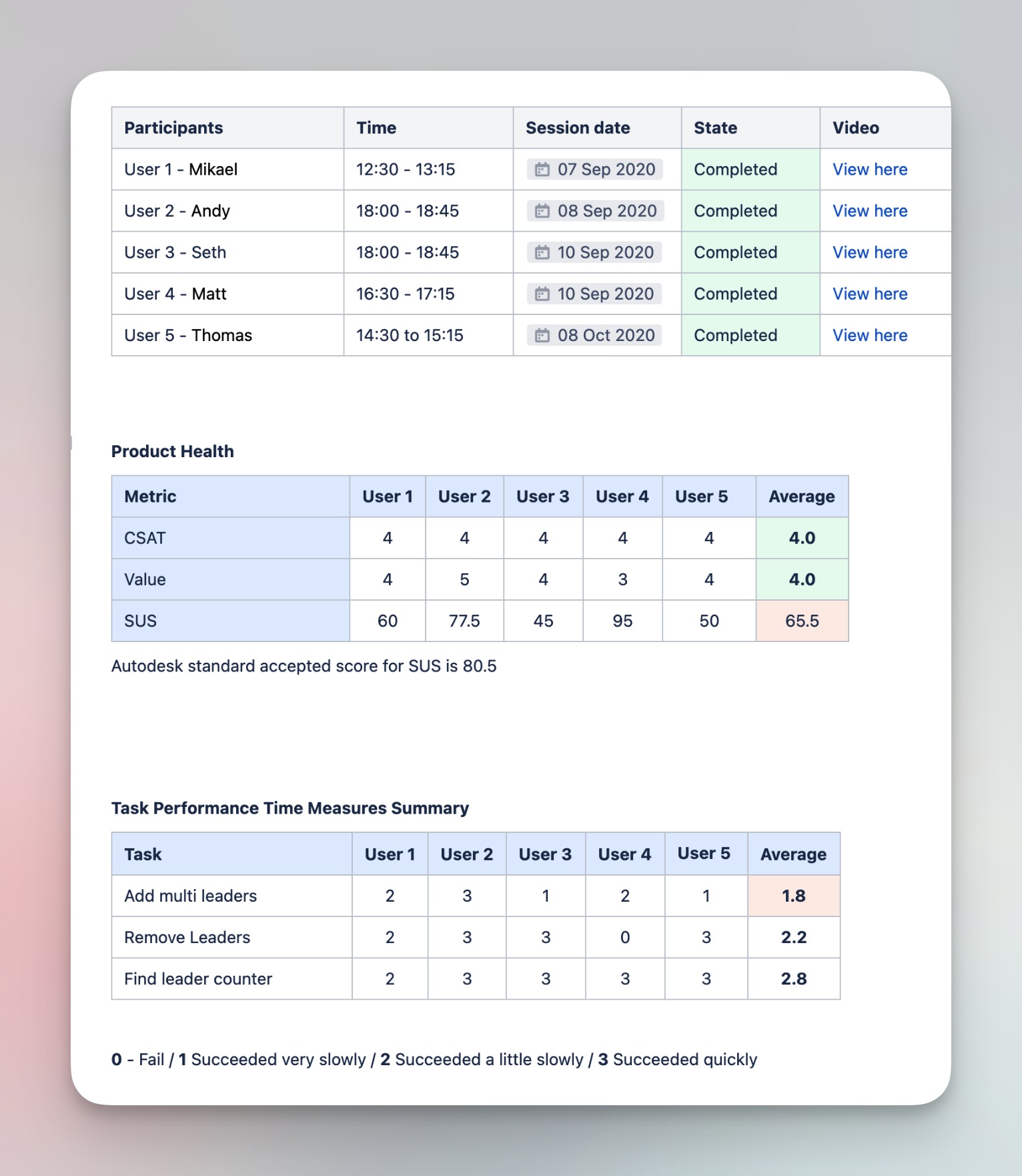
Documentation of usability sessions and product health metrics and task performance scores.
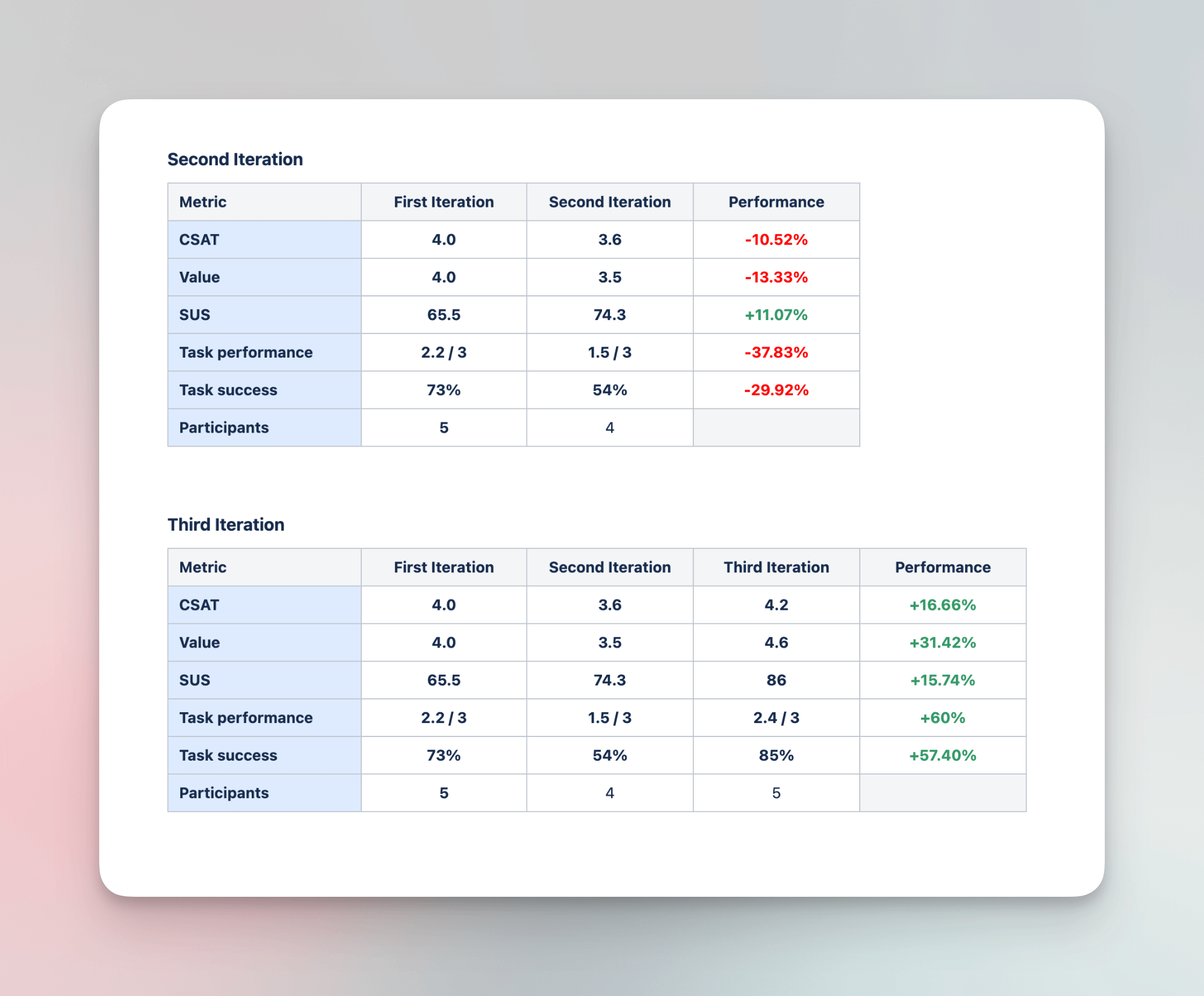
Revit has long release cycles, which gave us time to do multiple rounds of usability testing and benchmark our session to see if we are improving the feature or not.
Sharing insights
Communication and alignment are key factors in any project. Usability insights and general progress of the testing were shared among team members and key stakeholders using diverse methods.
Executive summary
Each round of testing ended with an executive summary that communicated the main finding and some metric results after each round of testing.
Notes from the fields
Key quotes from testing participants and findings were shared via email after a couple of sections. This practice has the purpose to keep the team in sync but also fight the course of knowledge.
Watch parties
This feature was developed fully during the pandemic lockdown in Bucharest so I thought of relaxing ways to share insights after a series of usability testing. In essence, we would gather in zoom call and I would present them with short clips from the usability sessions and the team got to discuss the findings

Sometimes I like to make a research-sharing presentation stand out and gather the attention of stakeholders involved, humans are captured by stories, and this is where the power of storytelling comes into play.
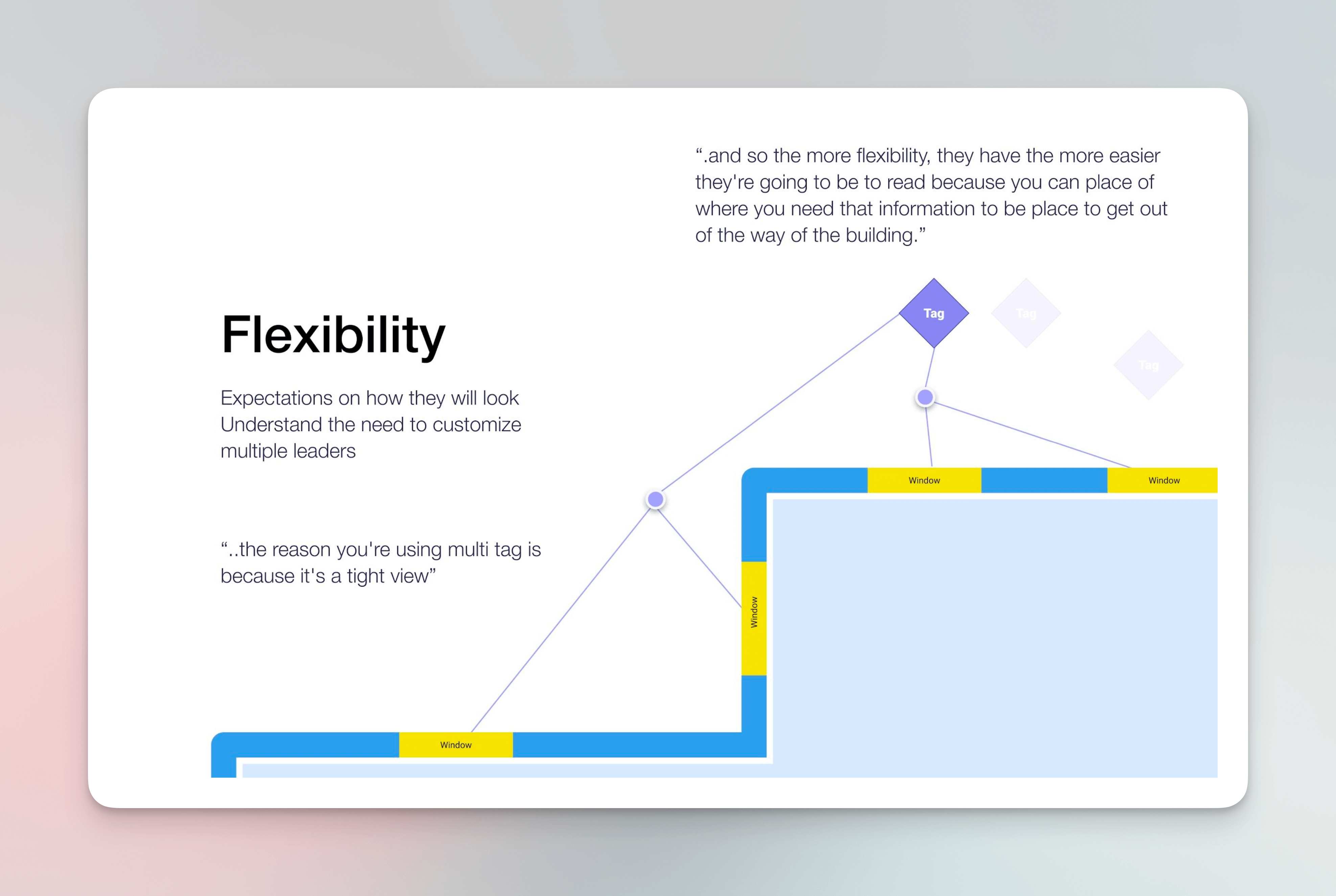
Sharing insights on the importance of flexibility for the feature that we developed and why we took this decision.
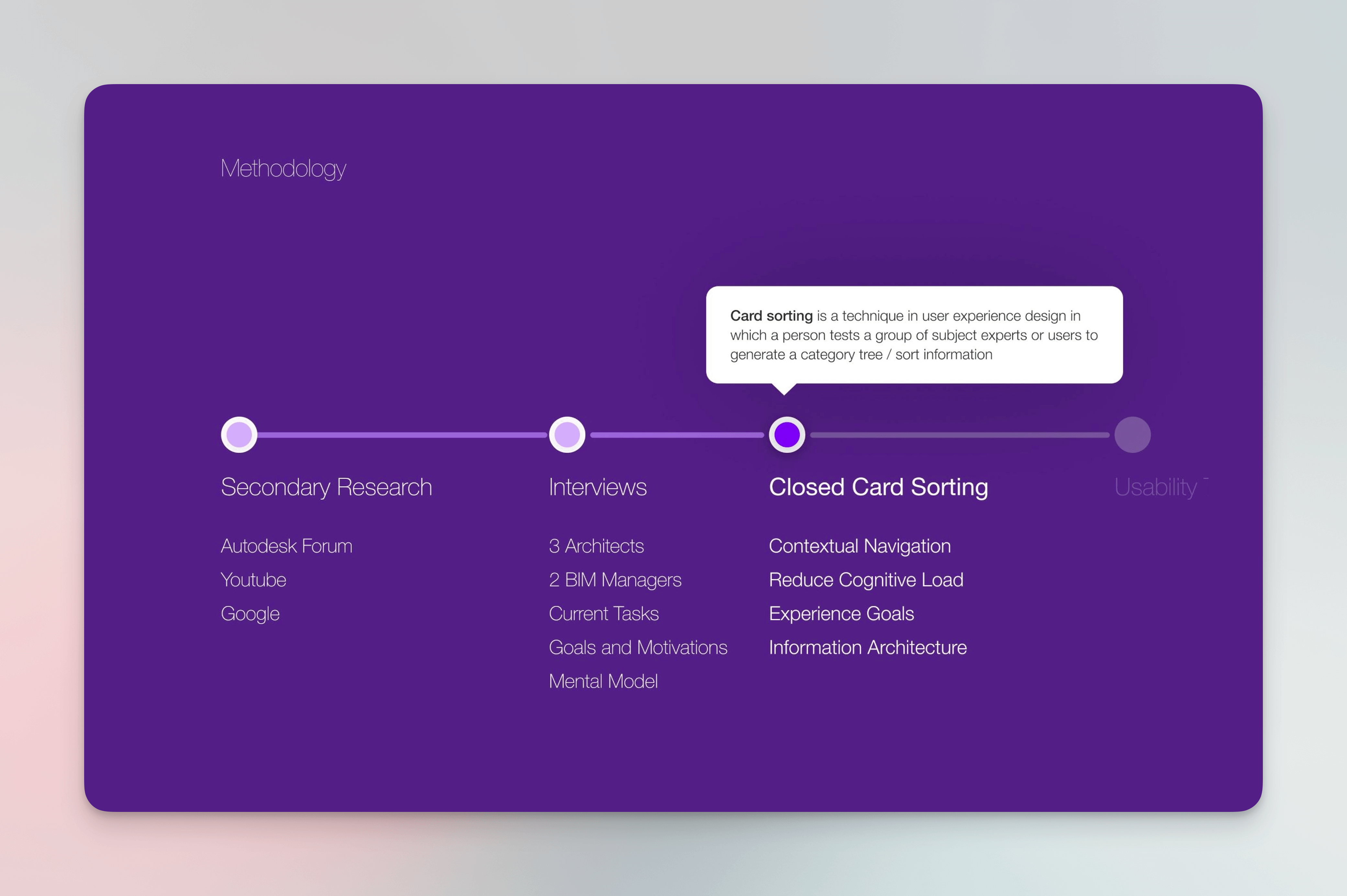
Slide from a presentation after releasing the beta version of this feature, explaining how we got there. As always sharing small UX tips with diverse audiences.
Outcomes
The first version of the multileader tag was tested during an internal event called Autodesk University 2020, it was also released into a special beta program called Release Preview, upon finally being launched in the official version of Revit 2022
This feature is increasing the productivity output of our primary persona (Architects) and this makes a huge difference, especially for small design shops that need to deliver fast in order to stay competitive.
This project was a huge team effort in a relatively short time span considering the developing ecosystem inside Autodesk. I’m grateful to all the team members that worked with me to push this so much-needed feature into the final release of Revit 2022.
Official release notes from Autodesk Presentation video for this featureA full case study presentation is available upon request.